Fix Broken Notification Center and Widgets on macOS Tahoe 26
One day my Mac just decided notifications don't exist anymore. Can't click Notification Center. No notifications. Widgets completely gone. Restart didn't help. Logout didn't help. Nothing.
I had this issue back when I used macOS Tahoe 26.0. I was thinking that this is a bug that will eventually get fixed after 26.1 released. I updated my Mac and it didn't help at all.
So I clean installed my Mac hoping this issue would get fixed - still not working. I searched a lot of articles and none of them helped. Some people are getting this issue as well.
Tried to create a new user account, and you know what, it worked fine. So it's not the system. It's something in my user data that got corrupted.
Notifications are so important for me, and it was driving me crazy knowing that important notifications weren't coming to my Mac. So I did the nuclear option - I hard reset my Mac.
Same old story. Same problem with macOS 26.
Turns out macOS stores notification images and attachments in a folder that keeps growing and never cleans itself up. Mine hit 289MB. The notification service has a 15MB memory limit. So every time it tried to start, it crashed. 52 times in a row.
Here's the fix. Takes 30 seconds.
Quick check
Open Terminal and paste this:
du -sh ~/Library/Group\ Containers/group.com.apple.UserNotifications/Library/UserNotifications/If the number is huge (mine was 289MB), that's your problem.
The fix
Paste these into Terminal, one block at a time.
Kill the processes:
killall usernoted usernotificationsd NotificationCenter chronod 2>/dev/nullDelete the bloated notification data:
rm -rf ~/Library/Group\ Containers/group.com.apple.UserNotifications/Library/UserNotificationsReset the notification database:
rm -f ~/Library/Group\ Containers/group.com.apple.usernoted/db2/db
rm -f ~/Library/Group\ Containers/group.com.apple.usernoted/db2/db-shm
rm -f ~/Library/Group\ Containers/group.com.apple.usernoted/db2/db-wal
Reset widgets (optional, but do it if widgets are broken too):
rm -f ~/Library/Group\ Containers/group.com.apple.chronod/chronod/chrono.sql
rm -f ~/Library/Group\ Containers/group.com.apple.chronod/chronod/chrono.sql-shm
rm -f ~/Library/Group\ Containers/group.com.apple.chronod/chronod/chrono.sql-wal
rm -rf ~/Library/Group\ Containers/group.com.apple.chronod/chronod/replicator
rm -rf ~/Library/Group\ Containers/group.com.apple.chronod/chronod/icons
That's it. Click the date/time in your menu bar. It should work now.
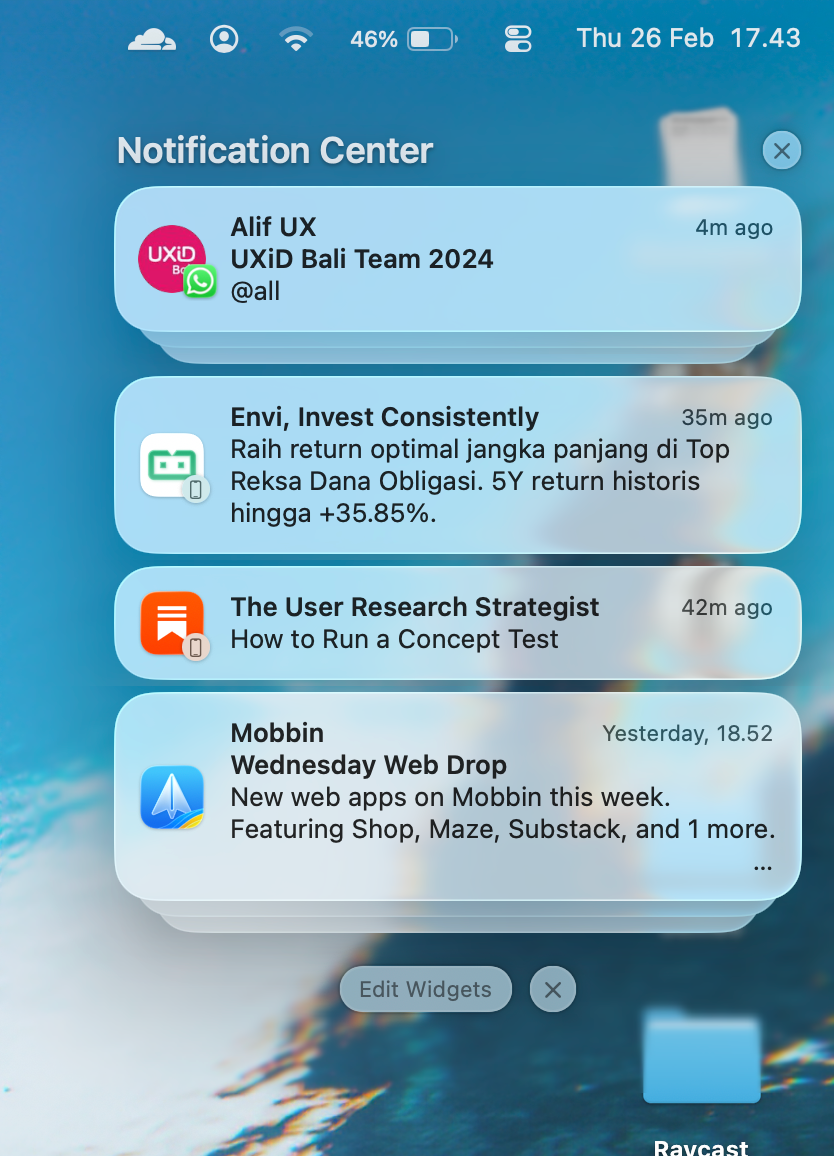
What you'll lose
- Unread notifications - gone
- Widget layout - you'll need to re-add them
- That's it. No app data, no documents, nothing else
Why this happens
macOS never cleans up old notification attachments. The folder grows forever. The daemon that handles notifications has a tiny 15MB memory limit. Eventually the folder gets so big the daemon can't start without crashing.
It's a bug. If it happens again, just run the same commands.
Contact
Say hello at
work@envibagus.comBased in Bali (GMT+8). I work async and keep overlap hours with Asia, Europe, and US mornings. Currently open to freelance projects and full-time roles.